Monday, June 6, 2022

Toshiba REGZA

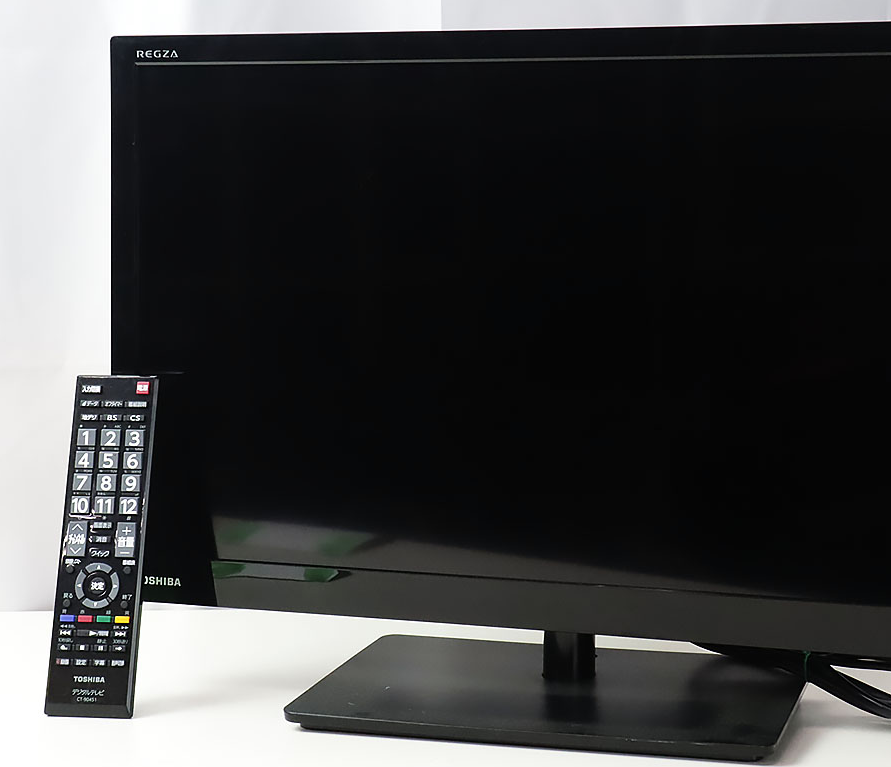
 I installed  Ubuntu on my dynabook N40 and rEFInd finally allows me to boot and use it without USB. It runs more crisply than Windows and starts up faster and more comfortably. However, the screen of the dynabook N40 is small, so I decided to connect it to an external monitor. A dedicated PC monitor might of course be better, but I'm going to connect it to  a regular TV with HDMI. This is sufficient for me, as I don't play fighting games or use high-precision CAD, where the slightest delay can be a problem, and it also has the big advantage that I can watch TV when I'm not busy (:-). Incidentally, I use a 23-inch Toshiba REGZA as a monitor, which is a great thing that can do scheduled recording by simply attaching an external hard disk (or SSD, of course) to the back (as all TVs nowadays may do (:-).

When I connected the REGZA via HDMI with Ubuntu running on the Dynabook N40, it responded immediately. I remember having a lot of trouble getting Linux to recognise HDMI devices in the past, but I have a sense of awakening (:-). This time, however, I was expecting things to go smoothly, but the REGZA froze with part of the screen displayed on it (:-o). When I disconnected the HDMI cable, the dynabook N40 started working again, so it seems that it is not completely frozen. The same thing happened when I started the dynabook N40 with the HDMI cable connected.

When I started the Ubuntu live installation USB,   it was normally displayed on the REGZA. Was the installation process wrong? Or is there something missing in the procedure for converting to local language (Japanese) after installation? I will investigate further.


Labels: , , , , , , ,

Sunday, June 5, 2022

UEFI


 I installed several Linux distributions on my dynabook N40, and among them, Ubuntu install USB can work as Live Linux. So I can try out Linux as is. Ubuntu is very convenient because it recognizes Wifi as default for dynabook N40, whereas other distributions often Wifi does not work at first stage. That is  ,of course , Ubuntu is the leader of Linux for clients. It is a long time ago when we had to spend a whole night compiling kernels and modules with different options to install devices that were not recognized by default (:-).

So the installation of Ubuntu on the dyanbook N40 ended easily, but when I disconnect the USB and rebooted, to my surprise, it did not boot properly (;_;). The "System Reset" message appeared for a moment on the startup screen, and then the system just kept rebooting.
I have investigated various things, and it seems to be related to the UEFI. The transition from the old BIOS to UEFI is progressing, but the dynabook N40 is a product from the early days of UEFI and does not seem to be very sophisticated. I tried several countermeasures such as tweaking GRUB2, using repair tools, and of course, changing UEFI options, which I could find on the net, but none of them worked.
I had no choice but to try various distributions other than Ubuntu, such as Slackware and Arch Linux, but that didn't work either. CloudReady, which is supposed to be based on Linux, was able to boot from the dynabook storage without any problems, so there must be a solution to this problem.

Labels: , , , , , , ,